Virtual Cajon · Free
Play Cajon Online
A 3D virtual cajon that plays real cajon recordings. Tap the front plate or play with your keyboard, jam along to grooves, climb the rhythm game scoreboard, then record and download your take.
Preparing the 3D cajon…
Play along
Pick a groove: the backing groove and metronome play with you while the notes scroll along the lane below.
The first groove most players learn: bass on 1 and 3, slap on 2 and 4, left-hand ghost notes in between.
No sound? Turn off your phone’s silent mode and turn the volume up.
How to play the virtual cajon
The cajon’s front plate (the tapa) sounds different depending on where you hit it. On the virtual cajon every zone plays its own real recordings, and the strength of each hit depends on where you strike: slaps get sharper towards the edge and the corners, the bass gets fuller towards the middle.
Bass
SpaceGHThe middle of the plate, slightly low. On a real cajon you hit it with the palm and fingers and a loose wrist for a deep, full sound. It is the foundation of the groove, usually on beats 1 and 3.
Slap
FJThe top edge of the plate, near the corners. Played with the fingertips, it gives a sharp, snare-like sound thanks to the snare wires behind the plate. Usually on beats 2 and 4.
Ghost note
DKA very soft, barely audible hit in the slap zone. Ghost notes fill the space between the main hits and make a groove flow; they are much of the secret of good cajon playing.
On phones and tablets you can hit with two fingers at once. Drag the empty space around the model to rotate the cajon; the full-screen button gives you a bigger playing area.
Cajon rhythms
Listen to each of these grooves, play along with the backing groove or try them in the rhythm game. Each row of the grid is a zone; solid squares are hits and faded squares are ghost notes.
Basic Beat
4/4 · 80 BPM
The first groove most players learn: bass on 1 and 3, slap on 2 and 4, left-hand ghost notes in between.
Left: (1&) (2&) (3&) (4&) · Right: 2 4 · Bass: 1 3
Pop / Rock
4/4 · 96 BPM
The backbone of pop and rock songs: the extra bass on the “and” of 3 pushes the groove forward.
Left: (1&) (2&) (4&) · Right: 2 4 · Bass: 1 3 3&
Funk
4/4 · 96 BPM
Sixteenth-note ghost notes and a pickup bass right before beat 3 make a tight, danceable groove.
Left: (1&) (2&) (3&) (4&) · Right: 2 4 (4a) · Bass: 1 2a 3
Rumba (3-3-2)
4/4 · 100 BPM
The 3-3-2 accent heard in Latin and flamenco rumba: one bass and two slaps, with ghost notes in between.
Left: (1&) (2) (3&) (4&) · Right: 2& 4 · Bass: 1 3
Reggae (One Drop)
4/4 · 76 BPM
Beat one is left empty; bass and slap land together on 3. Slow, deep and laid-back.
Left: (1&) (2&) (4&) · Right: 3 · Bass: 3
Shuffle / Blues
4/4 · 84 BPM
A swinging triplet feel: bass on 1 and 3, slap on 2 and 4, a ghost note on the last triplet of every beat.
Left: (1let) (2let) (3let) (4let) · Right: 2 4 · Bass: 1 3
Hip-Hop
4/4 · 88 BPM
Boom-bap style: heavy bass hits, hard slaps on 2 and 4 and a single ghost note at the end of the bar.
Left: (4&) · Right: 2 4 · Bass: 1 2a 3&
6/8
6/8 · 66 BPM
The 6/8 feel common in ballads and Latin music: bass on 1, slap on 4, ghost notes on 3 and 6.
Left: (3) (6) · Right: 4 · Bass: 1
How to play the rhythm game
Try the rhythm game- 1
Pick a groove and a level, then start the game. The metronome counts four clicks, then the notes start scrolling in from the right.
- 2
Hit the right zone the moment a note reaches the line: bass, left slap or right slap. Within 45 ms counts as Perfect, within 90 ms as Great and within 140 ms as Good.
- 3
Consecutive hits build your combo; every 10 hits raise the score multiplier (up to ×4). A missed note resets the combo.
- 4
After eight bars you get an S, A, B, C or D grade based on your accuracy. Your best score is saved on this device.
Feel the real thing
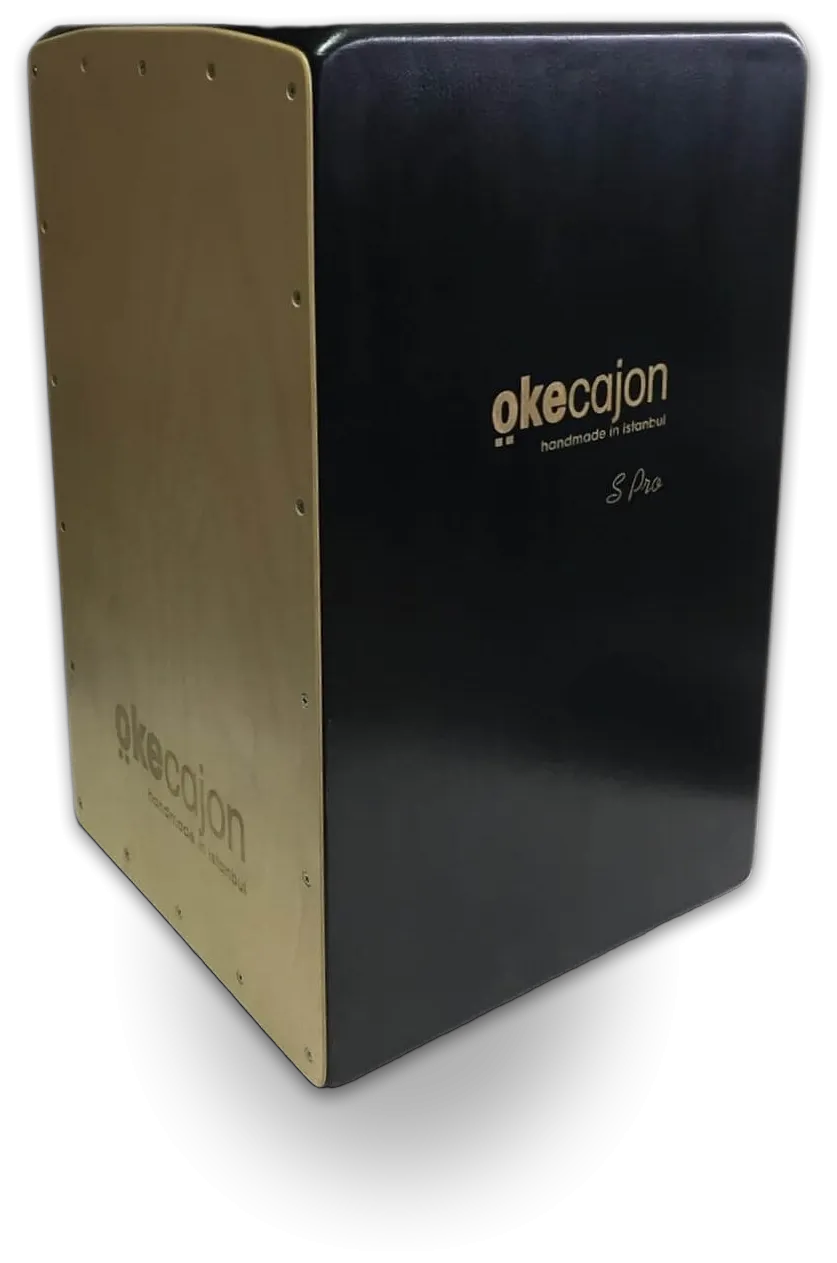
The 3D model on screen is designed after the Cajon S-Pro, handmade in our Istanbul workshop. The virtual cajon is a great way to get to know the grooves, but the cajon is a hand drum, and the real joy is feeling a real front plate vibrate under your palms.
From the Rhythm Academy
Frequently asked questions
Is the online cajon free?
Yes. The virtual cajon is completely free; it needs no sign-up and no app, it runs right in your browser.
How do I play the virtual cajon with a keyboard?
F plays a left-hand slap, J a right-hand slap, D and K ghost notes, Space, G and H the bass and B a soft bass.
Does it work on phones and tablets?
Yes. On current iPhones, Android phones and tablets you can play by tapping, including with two fingers at once. Browsers cannot play sound while an iPhone is in silent mode; turn silent mode off if you hear nothing.
Are these real cajon sounds?
Yes. The sounds are bass and left- and right-hand slap samples recorded from a real cajon at different strengths. Even if you hit the same zone repeatedly, different recordings take turns, so it never sounds like a machine.
Can I record what I play?
Yes. In the Record tab you can record your performance, listen back and download it as a WAV file, including the room reverb you picked.
Can I learn the cajon with a virtual cajon?
The virtual cajon is a good start for learning the zones and basic grooves and for practising timing. For proper hand technique and sound control we recommend practising on a real cajon; the guides in the Rhythm Academy walk you through it step by step.
My hits sound delayed. What should I do?
Bluetooth headphones add noticeable latency; use wired headphones or the device speaker. You can tune the rhythm game’s timing to your device with the latency offset in the Sound tab.